Jarvis
Improving the way teachers teach.
Jarvis was created to help teachers focus on teaching, and worry less about tracking student performance.
- 8 months
- Duration
- 3
- Designers
- 2
- Developers
- 1
- Project manager
- 2021
- Year
Role · Design lead
I led the design efforts for this project and later brought on two additional designers to collaborate and enhance the user experience.
The challenge
Recognizing that existing tools for teachers were often difficult to use, Riiid Labs set out to develop an in-house platform tailored to teachers' needs, so they could focus more effectively on their students.
Our team set out to identify the challenges teachers were facing and to design solutions curated for them.

Research & insights
We interviewed 8 teachers and 2 stakeholders to understand a teacher's day-to-day, and their frustrations and pain points.
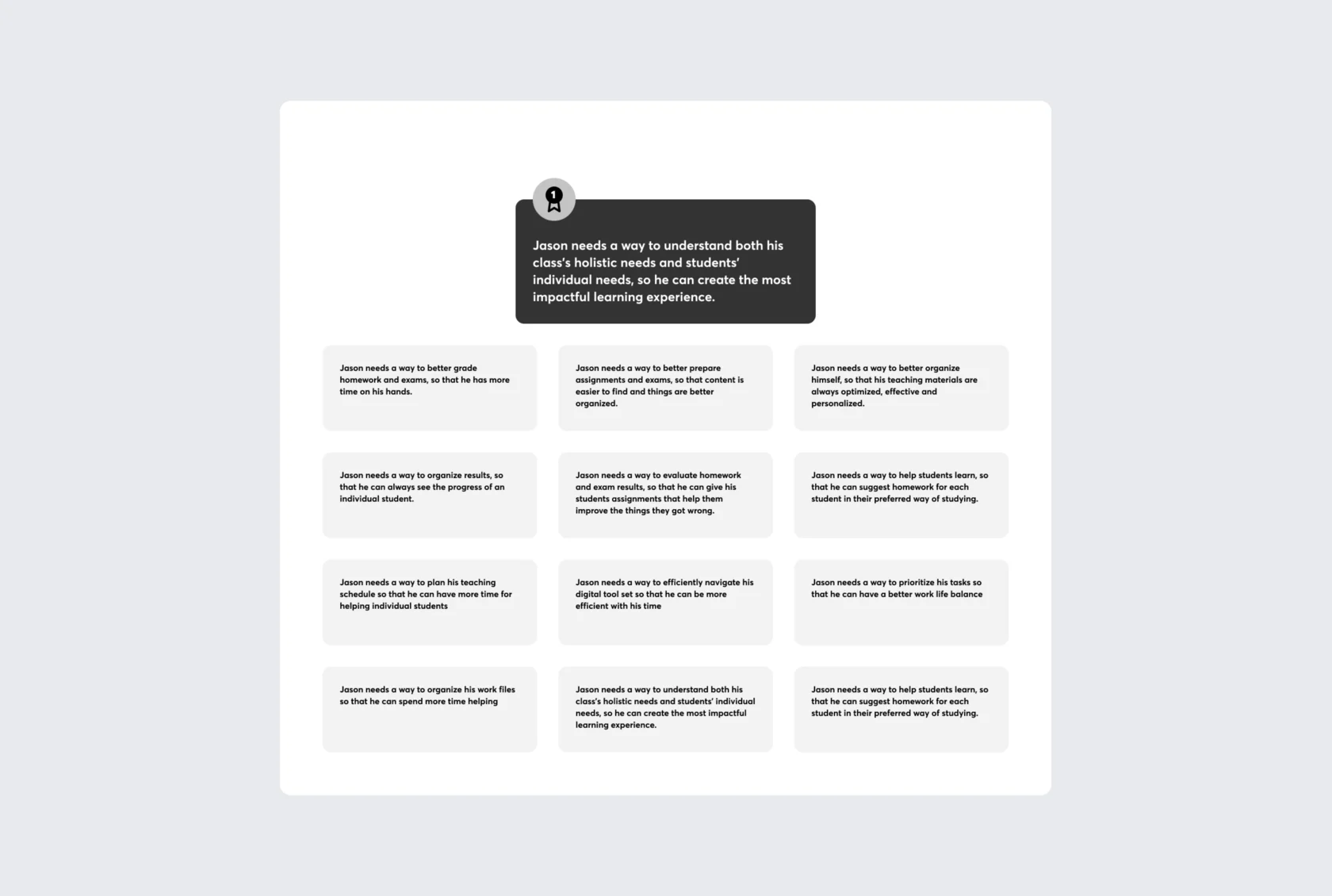
Top problem statement
Jason needs a way to understand both his class's holistic needs and students' individual needs, so he can create the most impactful learning experience.
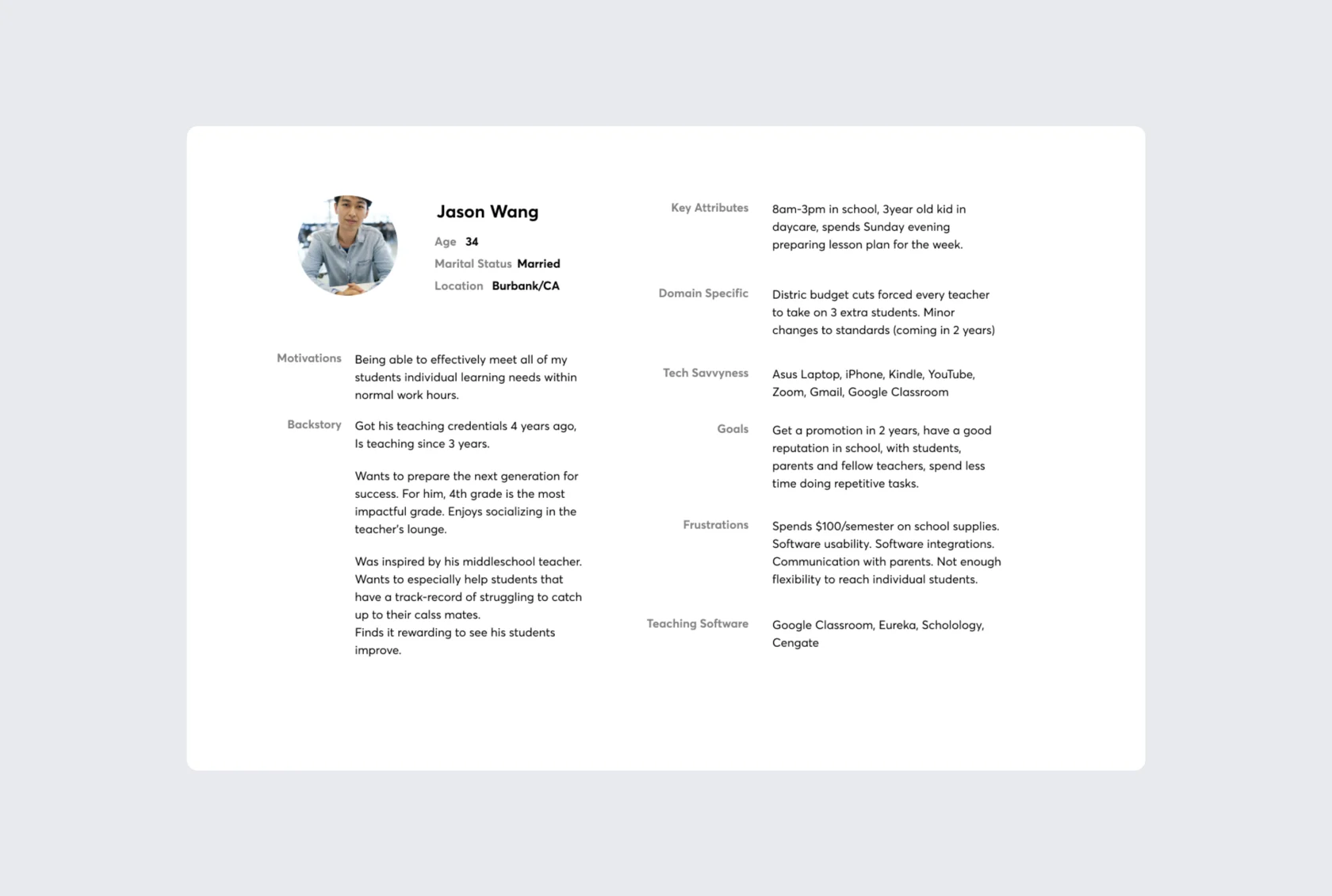
Main users, elementary school teachers
Based on insights from the interviews, we categorized users by their key attributes, pain points, motivations and goals.
A teacher's day, mapped
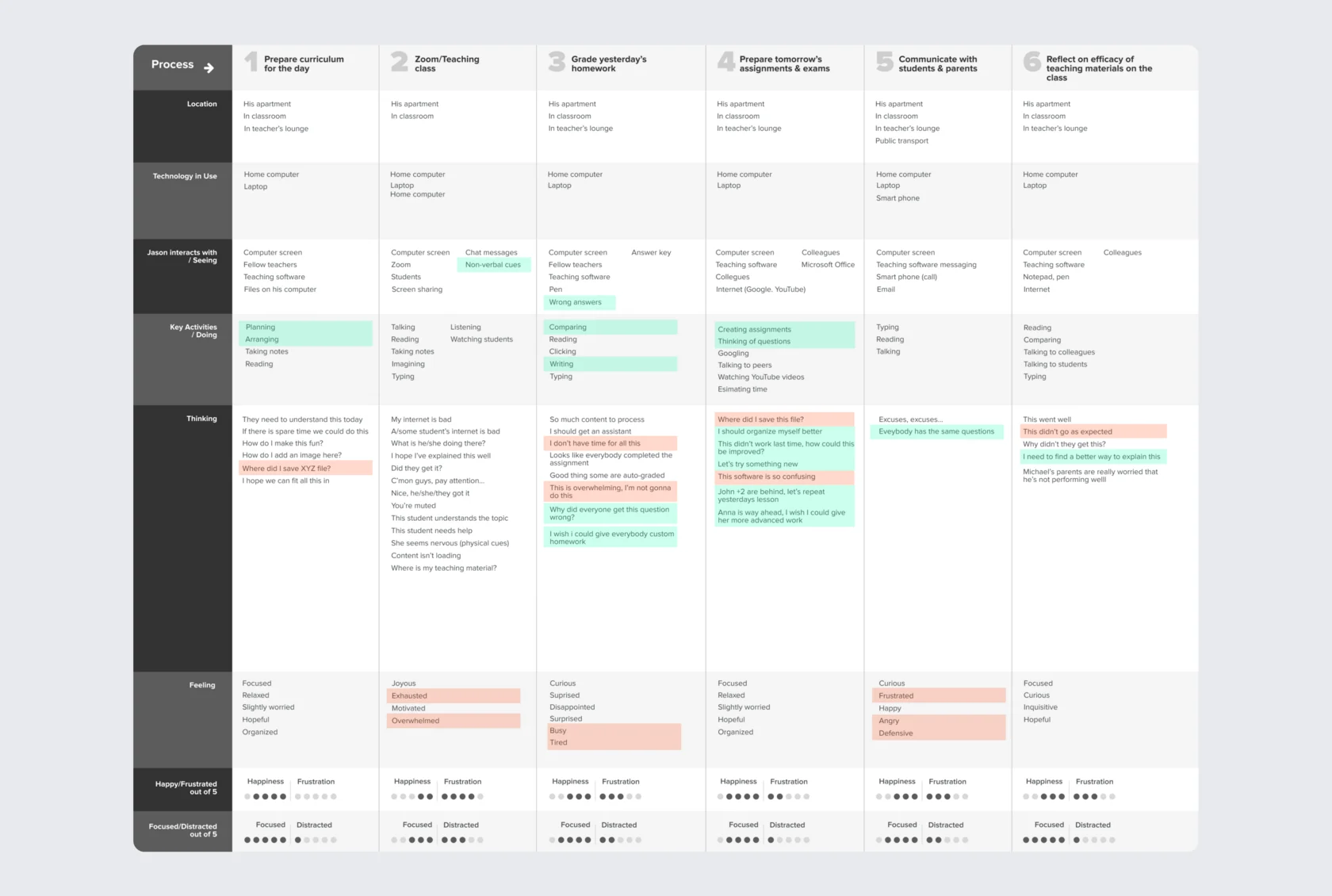
We mapped a full teaching day, from preparing the curriculum to reflecting on teaching materials, tracking actions, tools, thoughts and emotions at each step.
We also analyzed competitor websites and consulted key stakeholders to identify opportunities for differentiation and define how our platform would stand out.
Designed for educators, driven by students
During challenging times, teachers were suddenly forced to move from in-person teaching to fully online classes. Many existing software solutions only added complexity, making it harder for educators to adapt.
Our mission was to develop an intuitive, teacher-centric tool from the ground up, designed to simplify online instruction and meet the specific needs of educators.
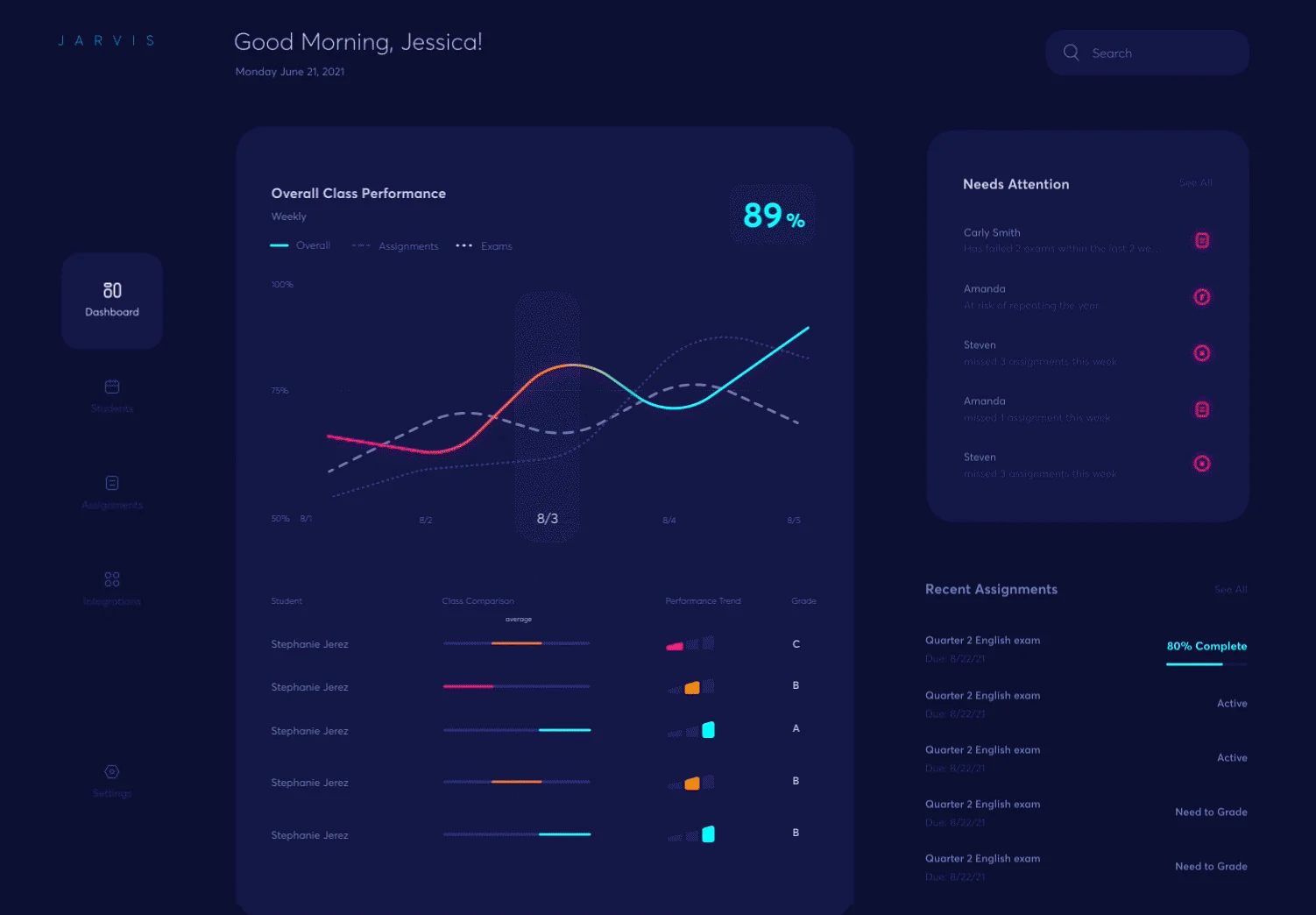
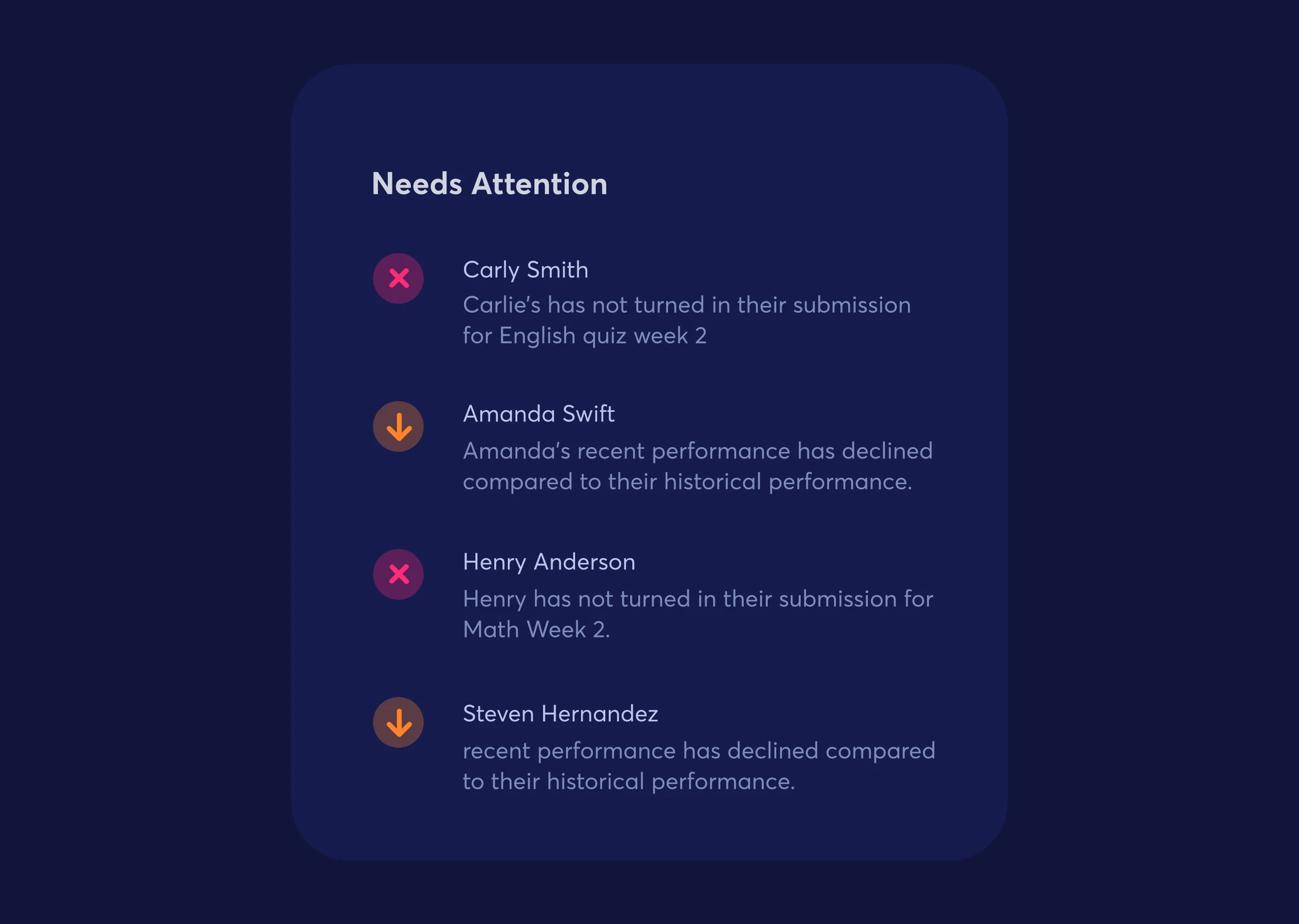
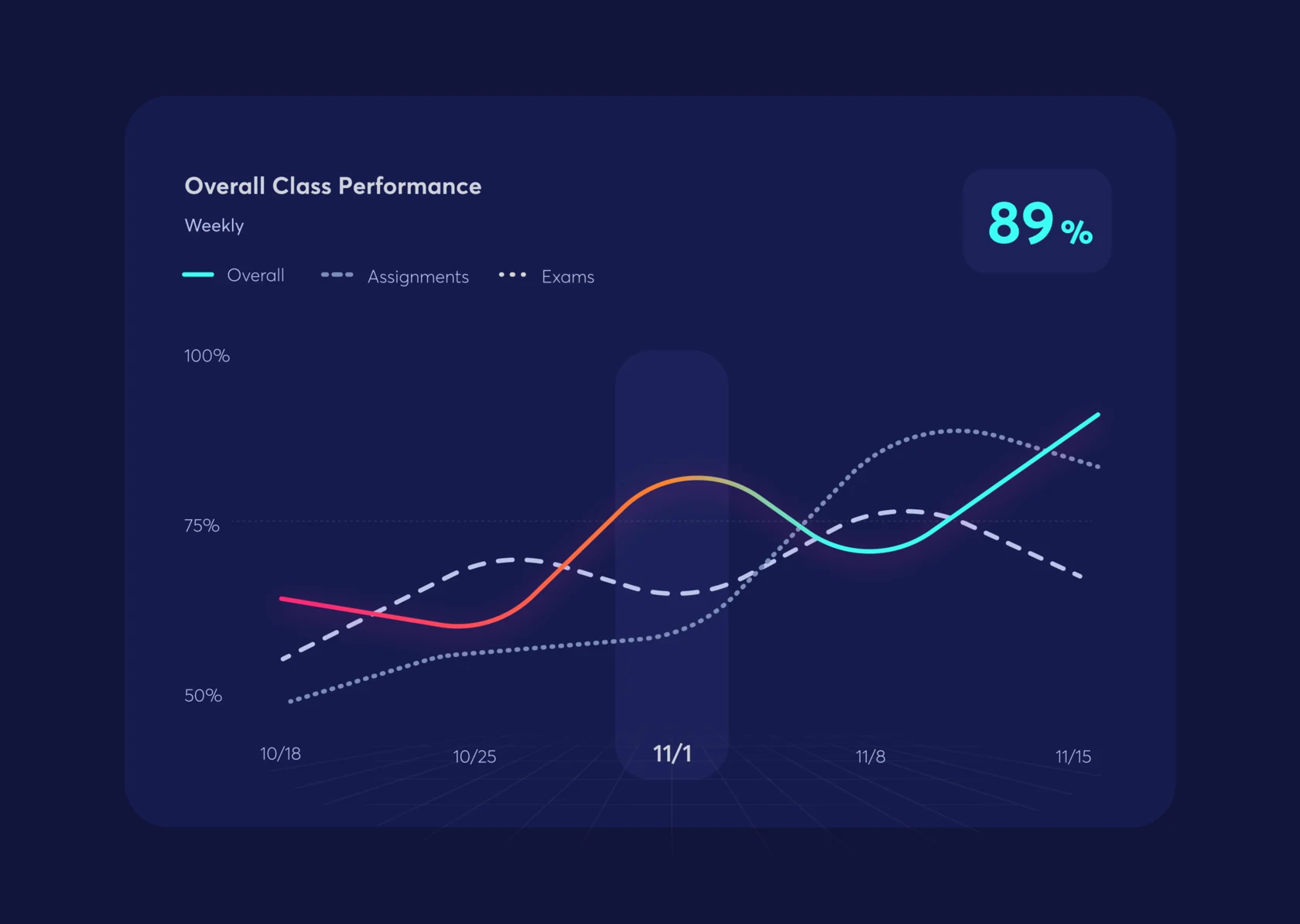
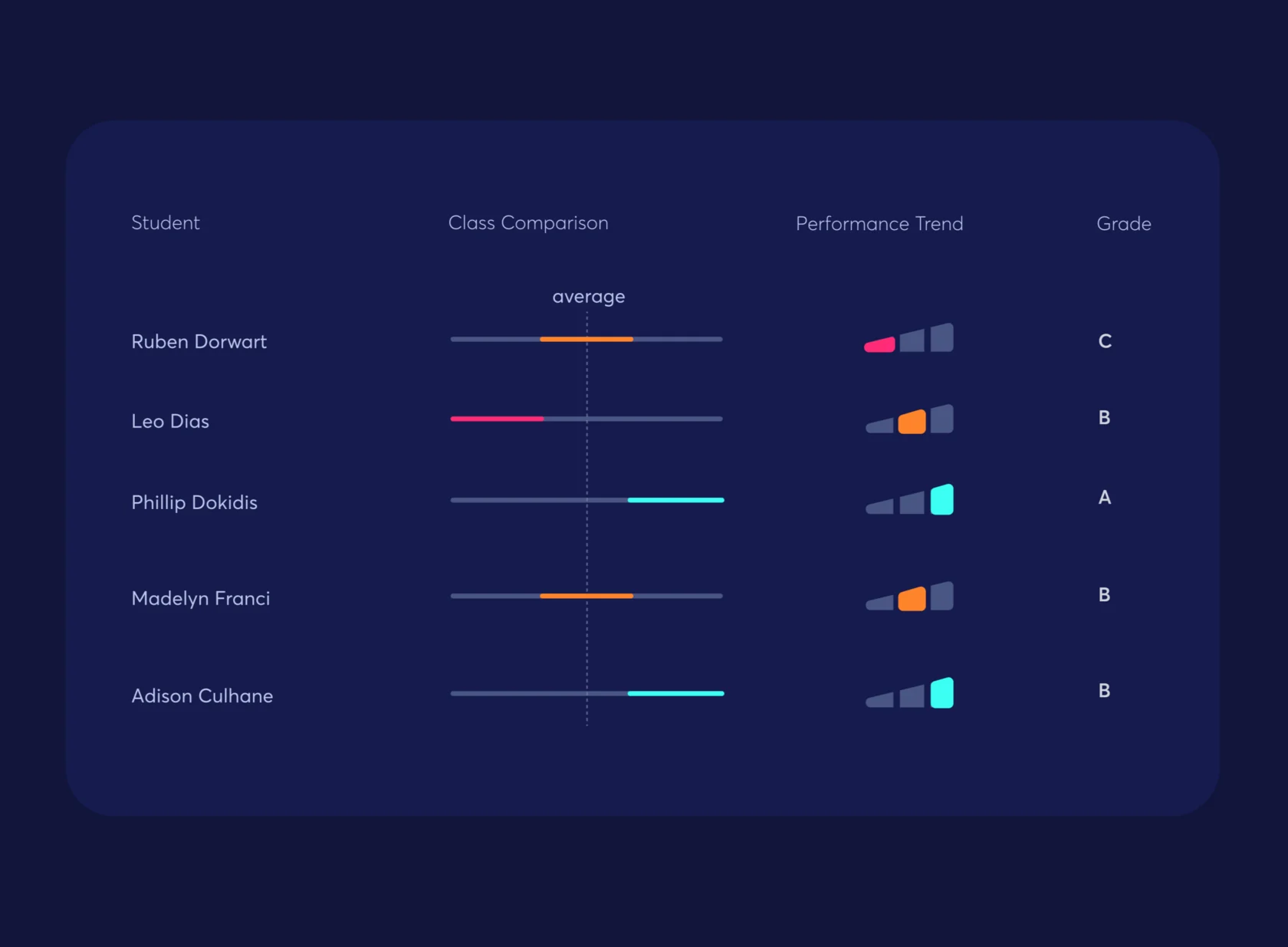
Personalized dashboard
To address teachers' pain points, we made sure they could see both the overall performance of their class and each student's performance at a glance, and quickly spot students who might need extra support.
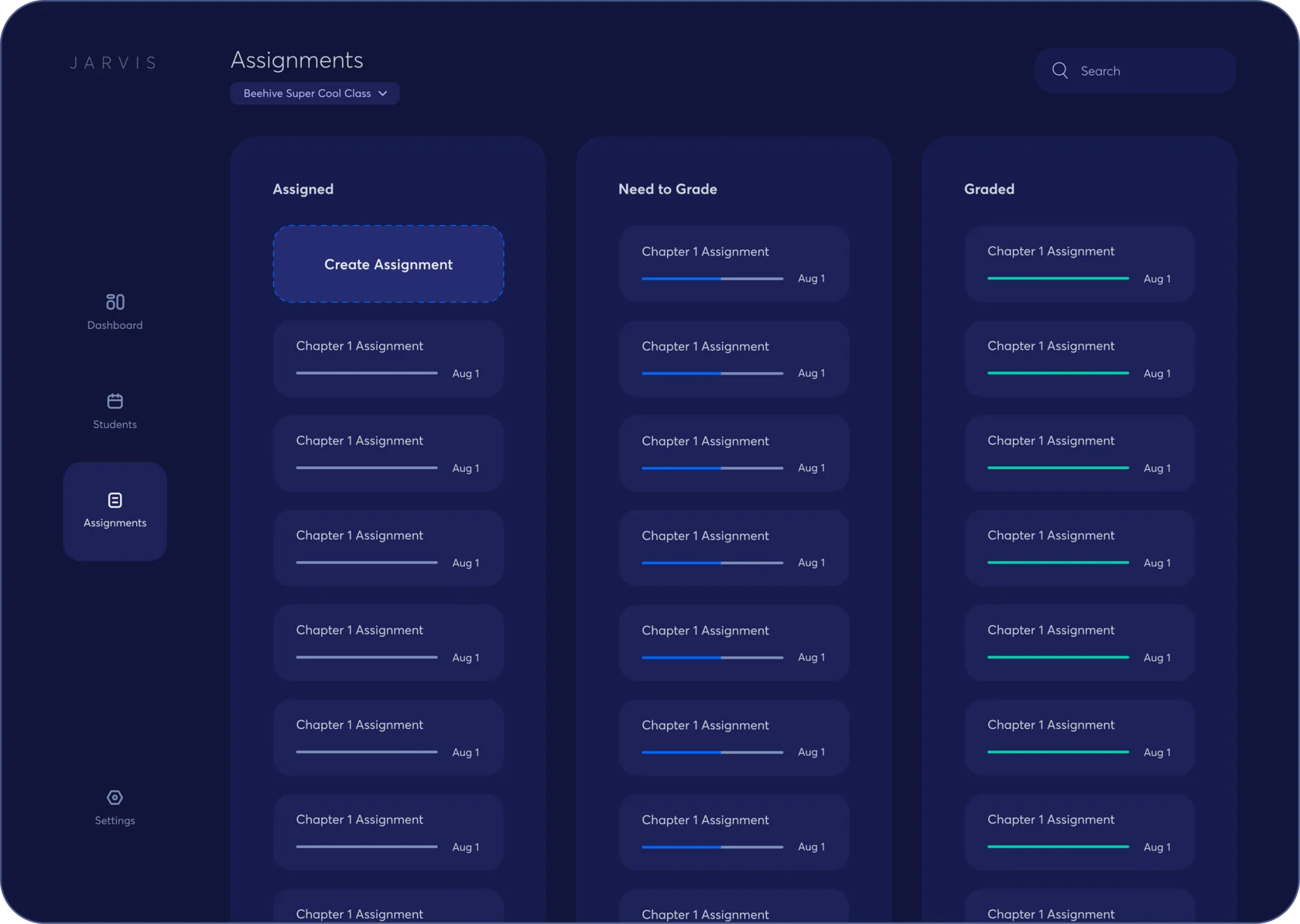
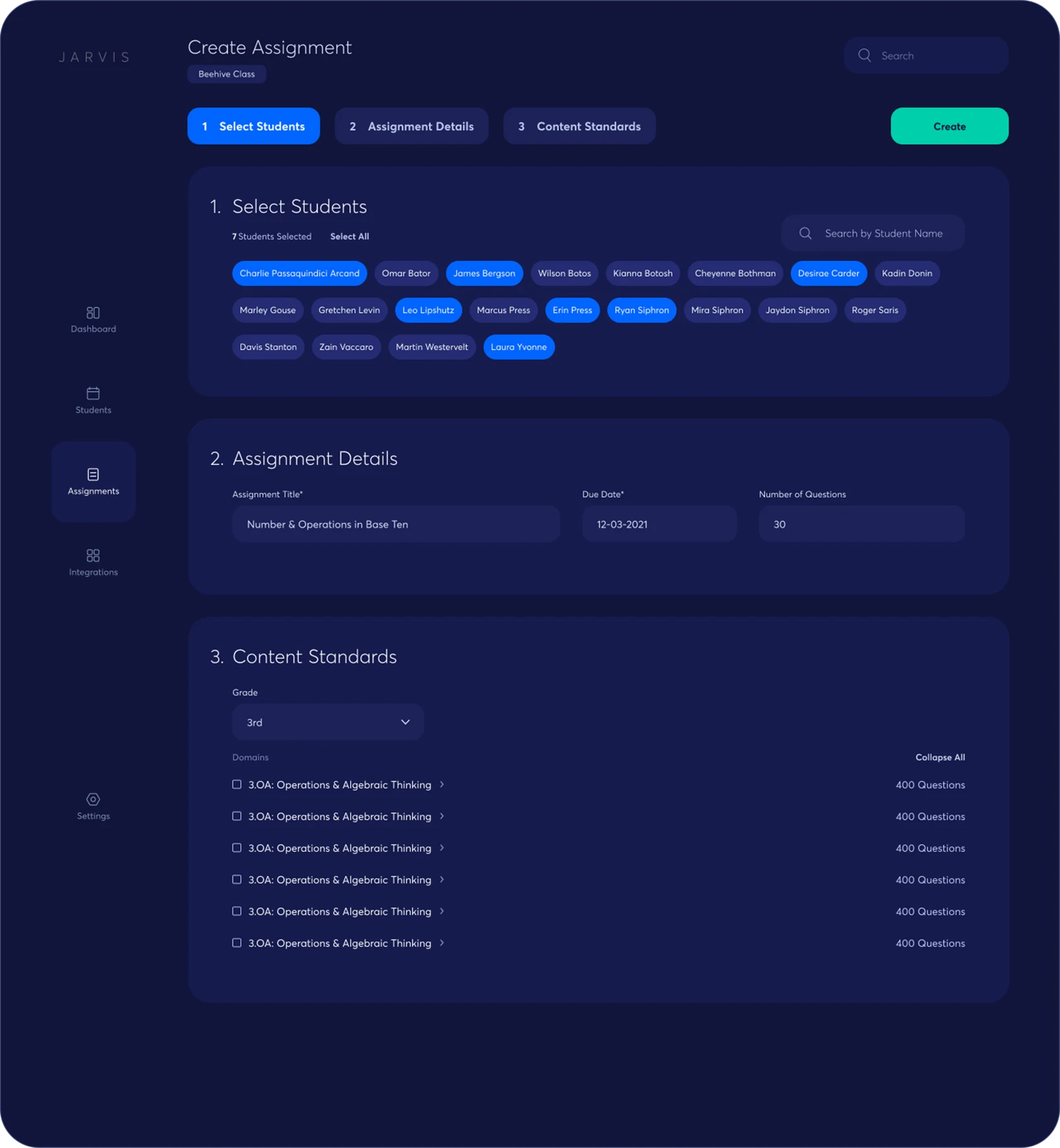
Organized assignments
One of the main challenges teachers faced was organizing class assignments efficiently. We designed a simple board that shows assignments chronologically and highlights which ones need grading.
Assignments are grouped into three columns, so teachers can move them between categories as they progress through grading.
Easy-to-add integrations
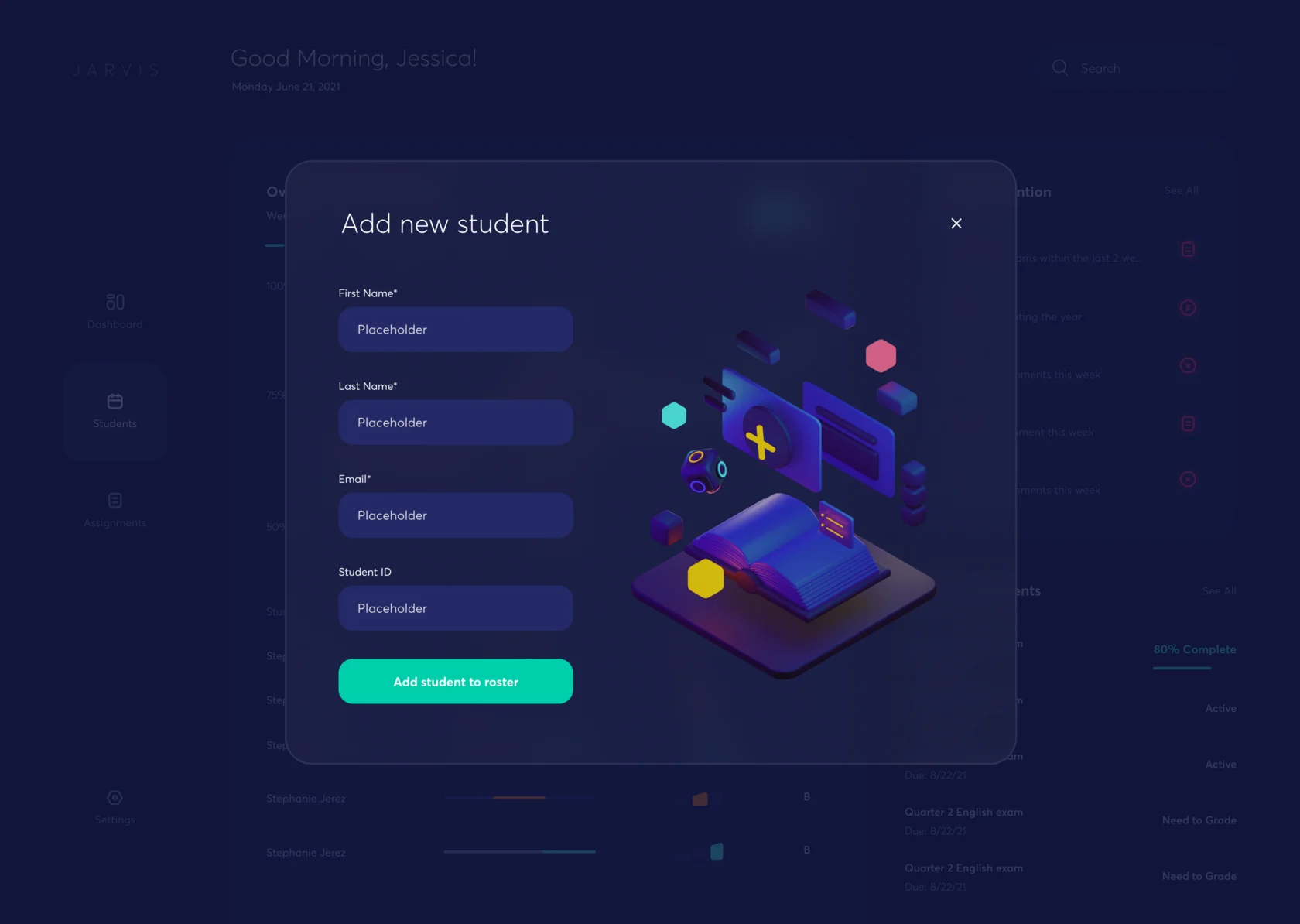
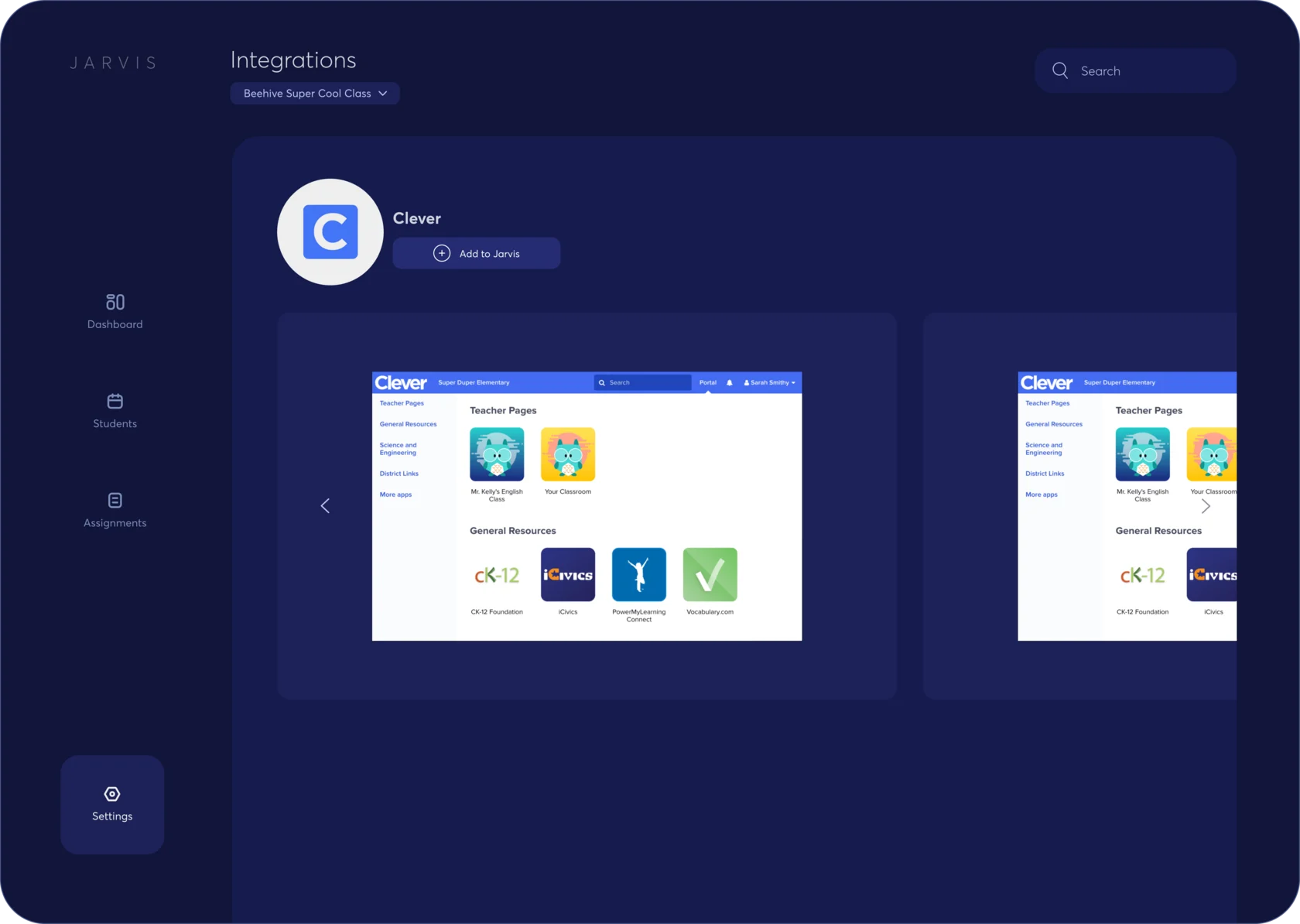
Jarvis supports integrations that truly benefit teachers, like Clever, which lets them quickly add school data, set up digital classrooms, keep data secure and sync student rosters.
Validation
We used Maze to gather data that validated key assumptions drawn from the pain points identified in our interviews.
- Test 1
- Sign up and set up a classroom · 10 participants
- Test 2
- Instructor dashboard: class & student performance insights
- Method
- Unmoderated usability testing via Maze
- Prototype
- Mid-fidelity Figma flow: Dashboard → Overall class stats → Student detail view
- 4.5
Test 1: user satisfaction score
Goal 4.2, met - 1:15
Test 1: average time to sign up and set up a classroom
Goal 2:00, met - 20%
Test 1: misclick rate, the focus for the next iteration
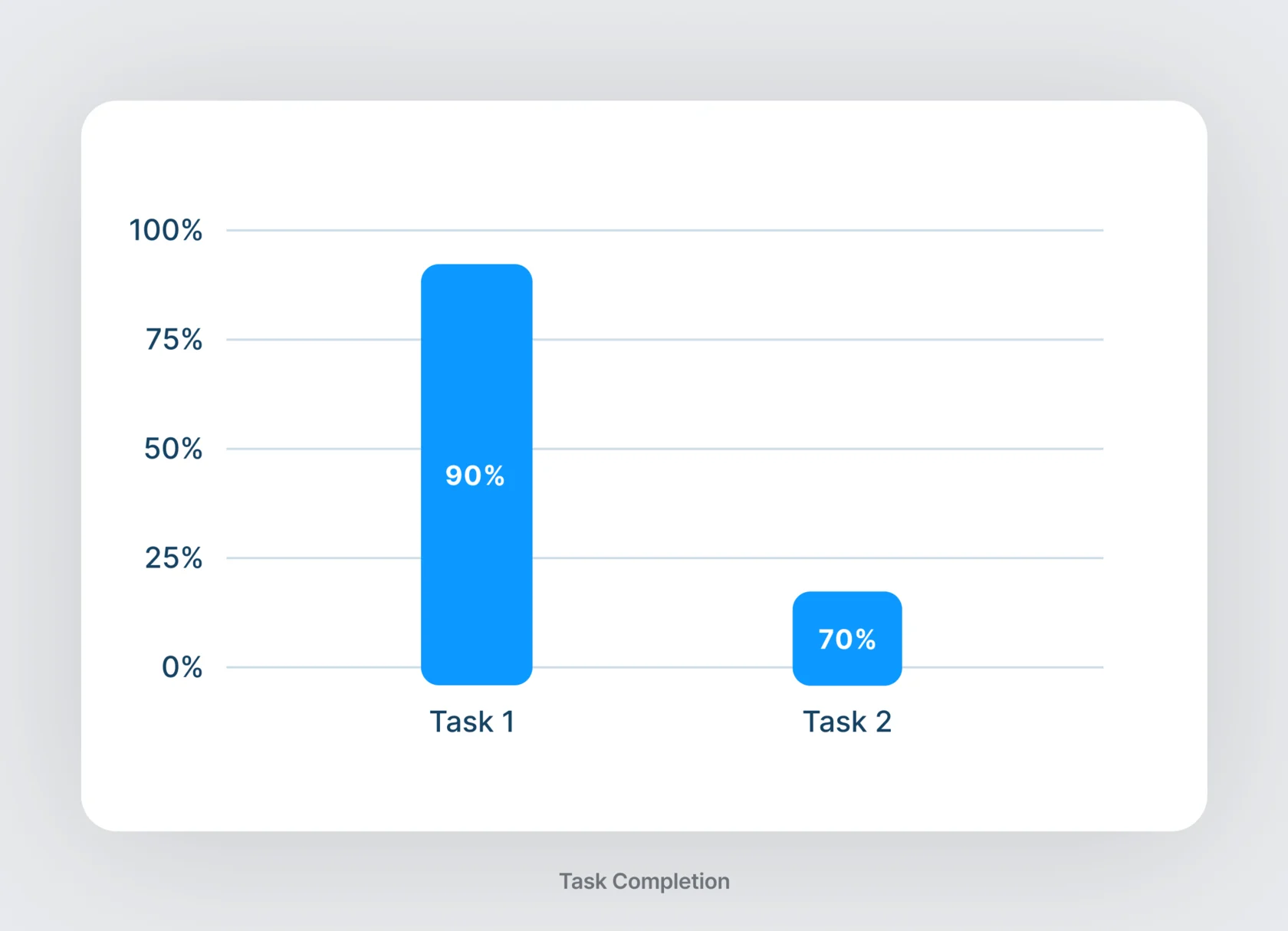
Goal under 15%, missed - 90%
Test 2: completed “view how your class is performing overall”
Task 1 - 70%
Test 2: completed “click into a student to see their performance”
Task 2

3D illustration
To give the platform a more modern visual appeal, our team introduced 3D visual anchors that highlight key areas, engaging and visually captivating for our audience.